Webhooks Integration
Webhooks deliver CronDB events to your applications as HTTP POST requests in real time. This guide covers setup, event types, payload examples, security, and troubleshooting.
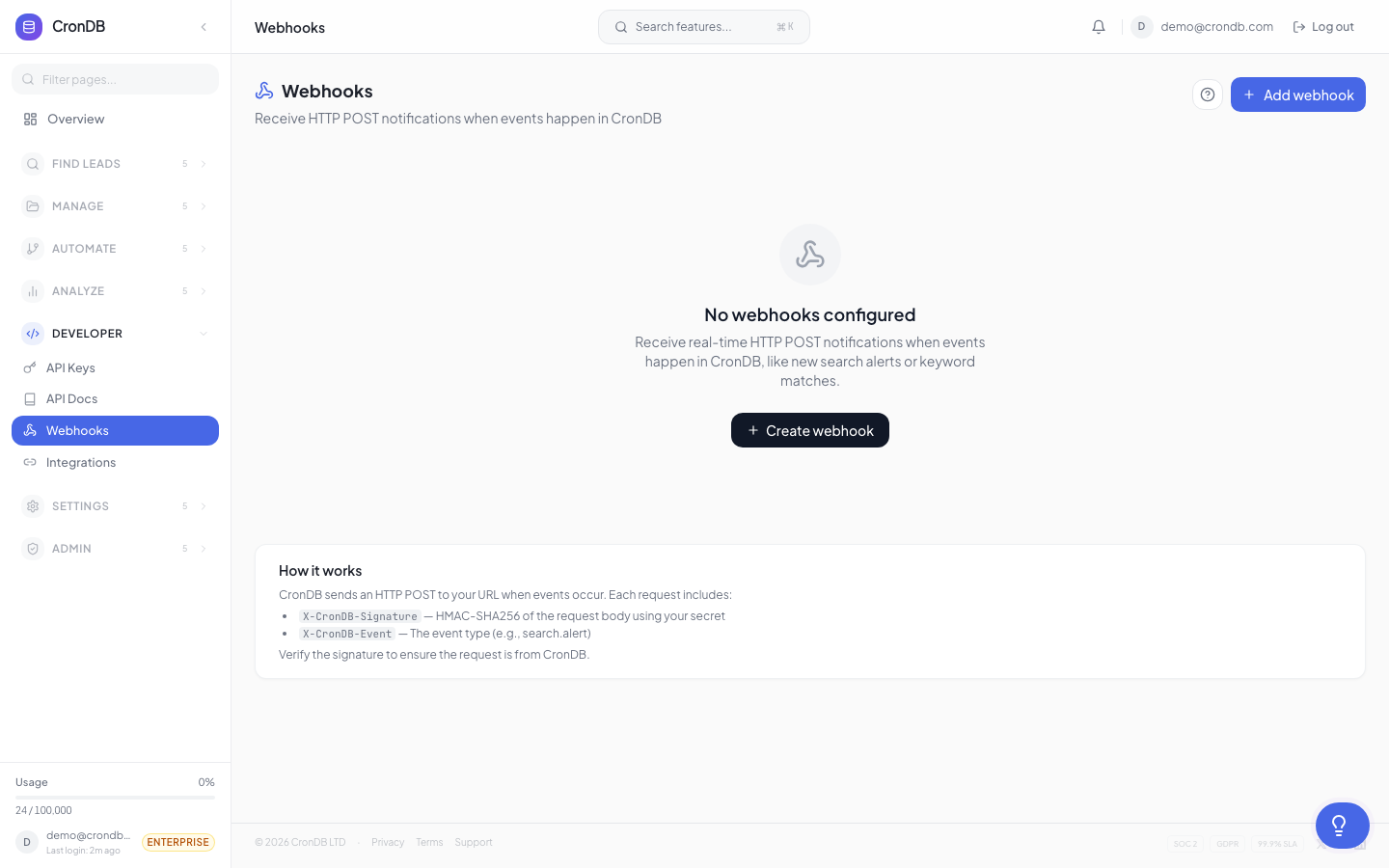
Setup
Creating a Webhook Endpoint
- Navigate to Integrations → Webhooks (or Alerts → Webhooks)
- Click + New Webhook
- Configure:
- Name — Descriptive label (e.g., "Slack Notifications", "CRM Sync")
- URL — Your HTTPS endpoint
- Events — Which events to subscribe to
- Headers — Optional custom headers (e.g., for additional authentication)
- Click Save
Endpoint Requirements
Your endpoint must:
- Accept POST requests
- Use HTTPS (HTTP is not supported)
- Return a 2xx status code within 5 seconds
- Accept application/json content type
Event Types
Alert Events
| Event | Trigger |
|---|---|
alert.domain_matched | Domain matched an intent alert |
alert.rule_created | New alert rule created |
alert.rule_deleted | Alert rule deleted |
Watchlist Events
| Event | Trigger |
|---|---|
watchlist.domain_changed | Watched domain data changed |
watchlist.domain_added | Domain added to watchlist |
watchlist.domain_removed | Domain removed from watchlist |
Sequence Events
| Event | Trigger |
|---|---|
sequence.email_sent | Email sent from a sequence |
sequence.email_opened | Recipient opened an email |
sequence.email_clicked | Recipient clicked a link |
sequence.email_replied | Recipient replied |
sequence.email_bounced | Email bounced |
sequence.contact_enrolled | Contact enrolled in sequence |
sequence.contact_completed | Contact completed all steps |
sequence.goal_achieved | Contact achieved sequence goal |
Enrichment Events
| Event | Trigger |
|---|---|
enrichment.completed | Bulk enrichment job finished |
enrichment.failed | Enrichment job failed |
Payload Examples
alert.domain_matched
{
  "event": "alert.domain_matched",
  "webhook_id": "wh_abc123",
  "timestamp": "2026-03-18T14:30:00Z",
  "data": {
    "alert_id": "alt_xyz789",
    "alert_name": "US SaaS Leads",
    "domain": "newstartup.com",
    "industry": "Technology",
    "business_type": "B2B SaaS",
    "country": "US",
    "confidence": 0.91,
    "tech_stack": ["Next.js", "Stripe", "Google Analytics", "Intercom"],
    "contact": {
      "emails": ["hello@newstartup.com"],
      "phone": null
    }
  }
}
watchlist.domain_changed
{
  "event": "watchlist.domain_changed",
  "webhook_id": "wh_abc123",
  "timestamp": "2026-03-18T14:30:00Z",
  "data": {
    "domain": "competitor.com",
    "changes": [
      {
        "field": "tech_stack",
        "action": "added",
        "value": "Stripe",
        "previous_value": null
      }
    ]
  }
}
sequence.email_replied
{
  "event": "sequence.email_replied",
  "webhook_id": "wh_abc123",
  "timestamp": "2026-03-18T16:45:00Z",
  "data": {
    "sequence_id": "seq_abc123",
    "sequence_name": "SaaS Outreach",
    "domain": "prospect.com",
    "step_number": 2,
    "engagement_score": 65,
    "temperature": "hot"
  }
}
Security
HMAC Signature Verification
Every webhook includes an X-CronDB-Signature header:
X-CronDB-Signature: sha256=a1b2c3d4e5f6...
Verify this signature to confirm the request came from CronDB:
import hmac
import hashlib

def verify(payload: bytes, signature: str, secret: str) -> bool:
    computed = hmac.new(secret.encode(), payload, hashlib.sha256).hexdigest()
    return hmac.compare_digest(f"sha256={computed}", signature)
Your webhook signing secret is displayed in Integrations → Webhooks → [Your Webhook] → Settings.
IP Allowlisting
CronDB sends webhooks from a fixed set of IP addresses. Contact support for the current list if you need to configure firewall rules.
Retry Policy
Failed deliveries are retried with exponential backoff:
| Attempt | Delay | Total Elapsed |
|---|---|---|
| 1st retry | 30 seconds | 30s |
| 2nd retry | 2 minutes | 2m 30s |
| 3rd retry | 10 minutes | 12m 30s |
| 4th retry | 1 hour | 1h 12m |
| 5th retry | 6 hours | 7h 12m |
After 5 failed attempts, the delivery is marked as permanently failed. You can replay it manually from the webhook logs.
Troubleshooting
Webhook not receiving events
- Check the webhook status in the dashboard (Active vs. Paused)
- Verify your endpoint returns a 2xx status code
- Check the Logs tab for delivery attempts and error messages
- Test with a simple endpoint like webhook.site to isolate issues
Receiving duplicate events
Webhooks can occasionally deliver the same event twice (network issues, timeouts). Design your endpoint to be idempotent — process each event only once by checking the webhook_id + timestamp combination.
Timeout errors
If your endpoint takes more than 5 seconds to respond, CronDB considers it a failure and retries. Process payloads asynchronously:
# Good: Respond immediately, process later
@app.post("/webhook")
async def handle_webhook(request):
    payload = await request.json()
    background_tasks.add_task(process_event, payload)
    return {"status": "ok"}  # Return immediately
Next Steps
- Intent Alerts — Set up alert rules that trigger webhooks
- API Webhooks — Full webhook API reference
- Workflows — Built-in automation alternative