Your First API Call
This guide walks through making API calls to CronDB using different languages and tools.
Base URL
All API requests go to:
https://api.crondb.com/v1/
Authentication
Every request needs an Authorization header with your API key:
Authorization: Bearer cdb_your_api_key_here
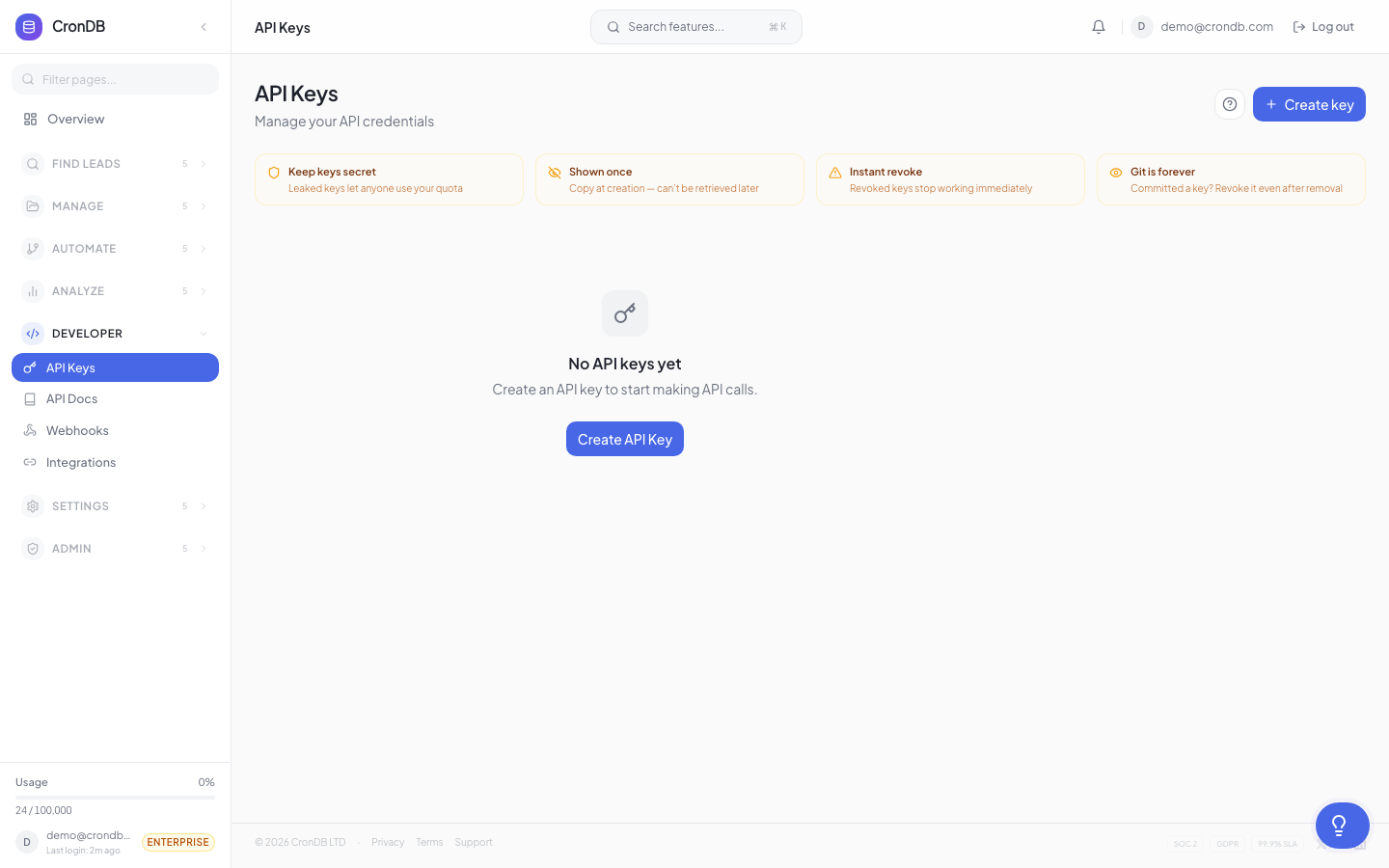
To create a key, go to Developer → API Keys and click Create API Key:

Example: Domain Enrichment
Using cURL
curl -X GET \
  -H "Authorization: Bearer cdb_your_api_key_here" \
  "https://api.crondb.com/v1/enrichment/domain?domain=stripe.com"
Using Python
import requests

API_KEY = "cdb_your_api_key_here"
headers = {"Authorization": f"Bearer {API_KEY}"}

response = requests.get(
    "https://api.crondb.com/v1/enrichment/domain",
    params={"domain": "stripe.com"},
    headers=headers,
)

data = response.json()
print(f"Industry: {data['industry']}")
print(f"Summary: {data['website_summary']}")
Using JavaScript
const API_KEY = "cdb_your_api_key_here";

const response = await fetch(
  "https://api.crondb.com/v1/enrichment/domain?domain=stripe.com",
  {
    headers: { Authorization: `Bearer ${API_KEY}` },
  }
);

const data = await response.json();
console.log(`Industry: ${data.industry}`);
console.log(`Summary: ${data.website_summary}`);
Example: Search Domains
Find recently registered domains in a specific industry:
curl -X POST \
  -H "Authorization: Bearer cdb_your_api_key_here" \
  -H "Content-Type: application/json" \
  -d '{
    "industry": "Technology",
    "country": "USA",
    "has_ecommerce": true,
    "limit": 10
  }' \
  "https://api.crondb.com/v1/search/domains"
Python Search Example
import requests

API_KEY = "cdb_your_api_key_here"
headers = {
    "Authorization": f"Bearer {API_KEY}",
    "Content-Type": "application/json",
}

payload = {
    "industry": "Technology",
    "country": "USA",
    "has_ecommerce": True,
    "limit": 10,
}

response = requests.post(
    "https://api.crondb.com/v1/search/domains",
    json=payload,
    headers=headers,
)

results = response.json()
for domain in results["results"]:
    print(f"{domain['domain']} — {domain['industry']} ({domain['confidence']:.0%})")
Understanding the Response
Every successful response includes:
{
  "domain": "example.com",
  "industry": "Technology",
  "business_type": "B2B SaaS",
  "confidence": 0.92,
  "registrant_country": "US",
  "created_date": "2026-03-15",
  "website_summary": "...",
  "tech_stack": { ... },
  "contact": { ... }
}
| Field | Description |
|---|---|
domain | The domain name |
industry | AI-classified industry |
business_type | B2B, B2C, Marketplace, etc. |
confidence | AI confidence score (0-1) |
registrant_country | Country of registration |
website_summary | AI-generated business description |
tech_stack | Detected technologies |
contact | Found email addresses and phone numbers |
Error Handling
{
  "detail": "Invalid API key"
}
| Status Code | Meaning |
|---|---|
| 200 | Success |
| 401 | Invalid or missing API key |
| 404 | Domain not found in database |
| 429 | Rate limit exceeded |
| 500 | Server error — contact support |
Handling Errors in Python
response = requests.get(
    "https://api.crondb.com/v1/enrichment/domain",
    params={"domain": "stripe.com"},
    headers=headers,
)

if response.status_code == 200:
    data = response.json()
    # Process data
elif response.status_code == 429:
    retry_after = int(response.headers.get("Retry-After", 60))
    print(f"Rate limited. Retry after {retry_after} seconds.")
elif response.status_code == 401:
    print("Invalid API key. Check your credentials.")
else:
    print(f"Error {response.status_code}: {response.text}")
Rate Limits
Free plan: 10 requests/minute. Starter: 60/min. Pro: 300/min. Enterprise: 1000/min. See Rate Limits for details.
Next Steps
- API Overview — Full API reference
- Search Endpoint — Advanced search filters
- Bulk Enrichment — Enrich up to 100 domains at once
- Dashboard Tour — Use the visual interface instead