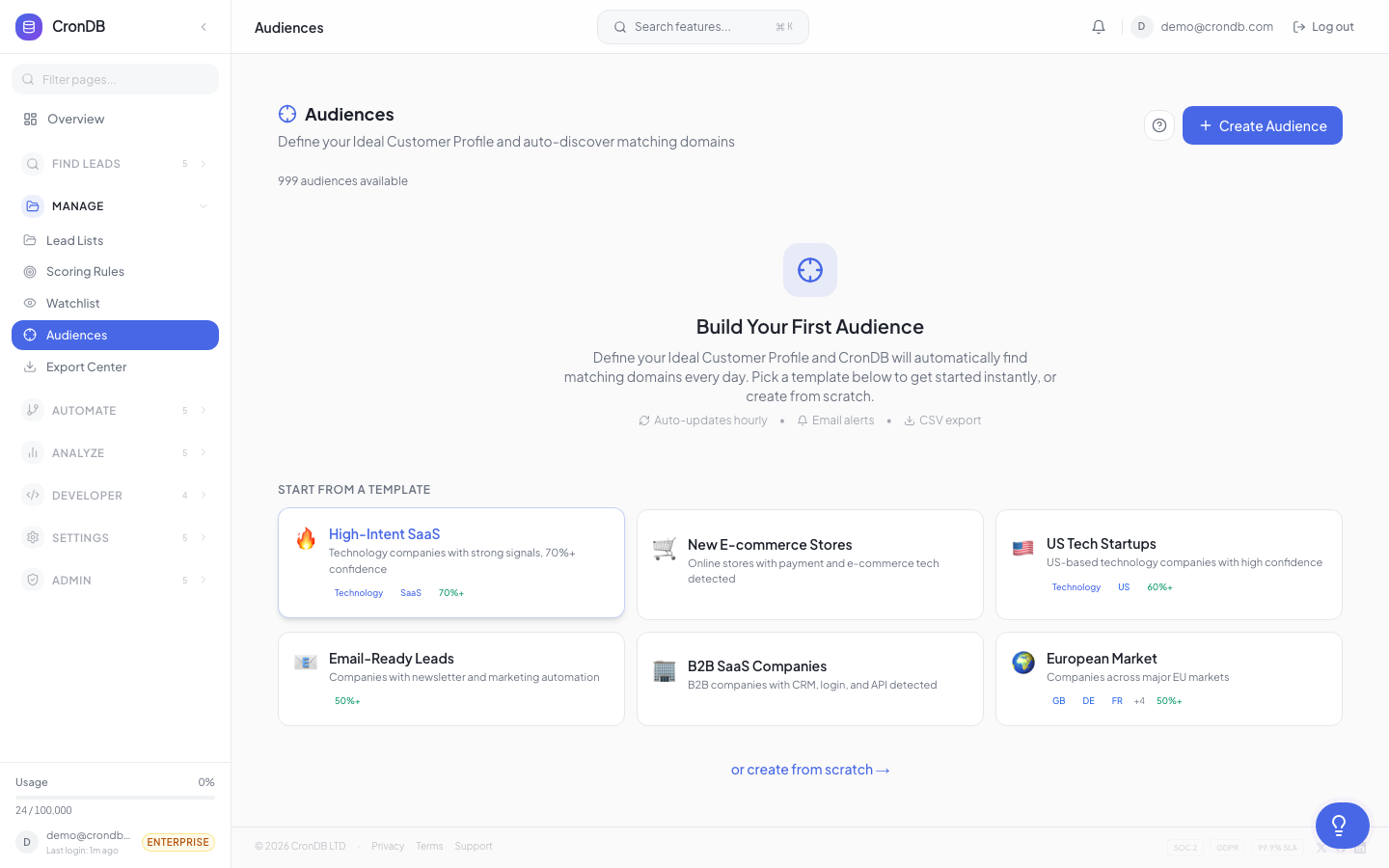
Audiences
Audiences are dynamic groups of domains that automatically update as new domains match your filter criteria. Unlike static lead lists, audiences grow on their own — every time CronDB discovers a new domain that matches your rules, it gets added automatically.
How Audiences Differ from Lead Lists
| Feature | Lead Lists | Audiences |
|---|---|---|
| Population | Manual (you add domains) | Automatic (filter-based) |
| Updates | Static until you change it | Auto-updates daily |
| Use case | Curated prospect lists | Ongoing lead generation |
| Sequence enrollment | Manual | Can auto-enroll into sequences |
| Alert triggers | No | Yes — trigger alerts on new matches |
Creating an Audience
- Navigate to Lead Management → Audiences
- Click + New Audience
- Give it a name (e.g., "US E-commerce Startups")
- Configure your filter rules (see below)
- Preview the matching domains
- Click Create Audience
Filter Rules
Build audiences using any combination of these filters:
Domain Attributes
| Filter | Operators | Example |
|---|---|---|
| Industry | is, is not, contains | Industry is "E-commerce" |
| Country | is, is not, in list | Country is "US" or "GB" |
| Business Type | is, is not | Business Type is "B2B SaaS" |
| Registration Date | after, before, within | Registered within last 30 days |
| Confidence | greater than, less than | Confidence > 0.8 |
Tech Stack Filters
| Filter | Operators | Example |
|---|---|---|
| CMS | uses, does not use | Uses "Shopify" |
| Analytics | uses, does not use | Uses "Google Analytics" |
| Chat | uses, does not use | Uses "Intercom" or "Drift" |
| E-commerce | uses, does not use | Uses any e-commerce platform |
| Framework | uses, does not use | Uses "React" or "Next.js" |
Contact Filters
| Filter | Operators | Example |
|---|---|---|
| Has Email | yes, no | Has email = yes |
| Has Phone | yes, no | Has phone = yes |
| Has Social | yes, no | Has LinkedIn = yes |
Combining Filters
Filters combine with AND logic by default. Use the OR group button to create alternative conditions:
(Industry is "Technology" AND Country is "US")
OR
(Industry is "E-commerce" AND Country is "GB")
Preview & Counts
Before saving, the audience builder shows:
- Estimated count — How many existing domains match
- Daily growth — Estimated new domains per day
- Sample results — Preview of 10 matching domains
This helps you refine your filters before committing.
Auto-Update Schedule
Audiences refresh automatically:
- Real-time — New domains are evaluated against your filters as they enter CronDB
- Daily digest — A summary email of new additions (if email notifications are enabled)
- Manual refresh — Click the refresh icon to force an update
Using Audiences
With Sequences
Audiences can auto-enroll new domains into outreach sequences:
- Open your audience
- Click Connect Sequence
- Choose an existing sequence
- New matches will automatically enter the sequence
With Alerts
Receive notifications when new domains join an audience:
- Open your audience
- Click Add Alert
- Choose delivery: email, webhook, or in-app notification
- Set frequency: real-time, hourly digest, or daily digest
With Exports
Schedule recurring exports of audience data:
- Open your audience
- Click Schedule Export
- Choose format (CSV or JSON), frequency, and fields
- Exports will be delivered to your email or available in the Export Center
Audience Limits by Plan
| Plan | Max Audiences | Max Filters per Audience |
|---|---|---|
| Free | 1 | 3 |
| Starter | 5 | 10 |
| Pro | 25 | Unlimited |
| Enterprise | Unlimited | Unlimited |
Combine audiences with scoring rules for maximum efficiency. Create an audience that captures all domains in your target market, then apply scoring rules to automatically rank the best leads at the top.
Next Steps
- Scoring Rules — Rank leads within your audiences
- Sequences — Auto-enroll audience members into campaigns
- Intent Alerts — Get notified about high-value matches