Watchlist
Monitor domains for data changes. When a watched domain's industry, email, tech stack, or status changes, CronDB detects it and notifies you.
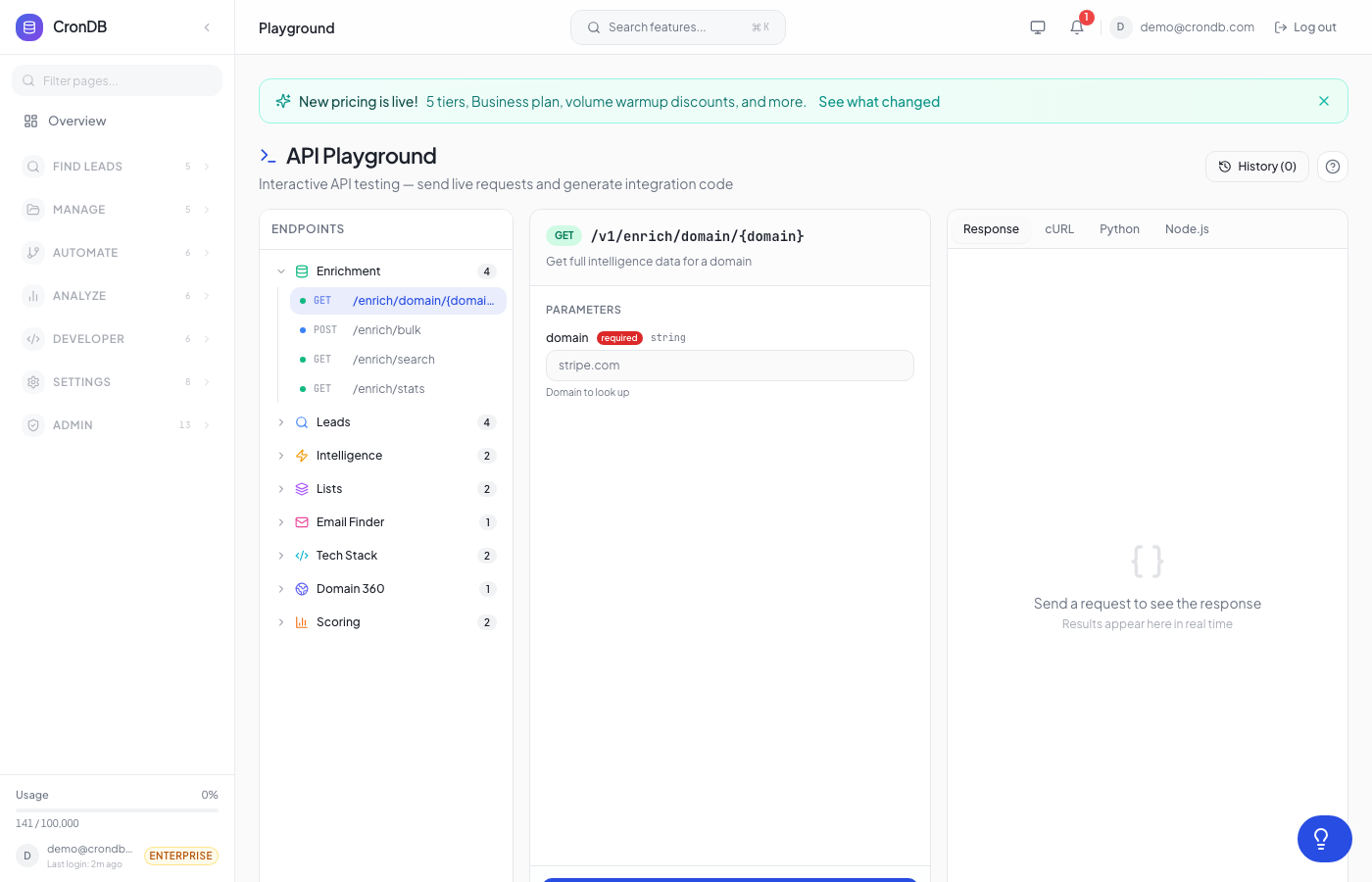
tip
Try this endpoint live in the API Playground.
Requires Starter plan or above
The free plan does not include watchlist access.
Endpoints
| Method | Endpoint | Description |
|---|---|---|
| GET | /v1/watchlist | List watched domains |
| POST | /v1/watchlist | Watch a domain |
| POST | /v1/watchlist/bulk | Watch multiple domains |
| PUT | /v1/watchlist/{id} | Update alert preferences |
| DELETE | /v1/watchlist/{id} | Stop watching a domain |
| GET | /v1/watchlist/{id}/history | Change history for a domain |
| GET | /v1/watchlist/changes | Recent changes across all watched domains |
| GET | /v1/watchlist/{id}/check | Live check for changes |
Plan Limits
| Plan | Max Watched Domains |
|---|---|
| Free | 0 |
| Starter | 10 |
| Pro | 50 |
| Enterprise | 500 |
List Watched Domains
GET /v1/watchlist
curl -H "Authorization: Bearer cdb_your_api_key_here" \
  "https://api.crondb.com/v1/watchlist"
Response
{
  "domains": [
    {
      "id": 1,
      "domain": "competitor.com",
      "last_snapshot": {
        "industry": "Technology",
        "website_email": "info@competitor.com",
        "confidence": 0.89
      },
      "alert_on_industry_change": true,
      "alert_on_email_change": true,
      "alert_on_tech_change": true,
      "alert_on_status_change": true,
      "last_checked_at": "2026-03-22T06:00:00Z",
      "last_changed_at": "2026-03-20T14:30:00Z",
      "created_at": "2026-03-01T10:00:00Z",
      "recent_changes": [
        {
          "id": 5,
          "field_changed": "website_email",
          "old_value": null,
          "new_value": "info@competitor.com",
          "detected_at": "2026-03-20T14:30:00Z"
        }
      ],
      "total_changes": 3
    }
  ],
  "limit": 50,
  "remaining": 42
}
Watch a Domain
POST /v1/watchlist
| Parameter | Type | Default | Description |
|---|---|---|---|
domain | string | — | Domain to monitor |
alert_on_industry_change | boolean | true | Alert when industry classification changes |
alert_on_email_change | boolean | true | Alert when contact email changes |
alert_on_tech_change | boolean | true | Alert on tech stack changes |
alert_on_status_change | boolean | true | Alert on trust/confidence changes |
import requests

response = requests.post(
    "https://api.crondb.com/v1/watchlist",
    headers={"Authorization": "Bearer cdb_your_api_key_here"},
    json={
        "domain": "competitor.com",
        "alert_on_industry_change": True,
        "alert_on_email_change": True,
        "alert_on_tech_change": False,
        "alert_on_status_change": True,
    },
)
watched = response.json()
print(f"Watching {watched['domain']} (ID: {watched['id']})")
Bulk Watch
POST /v1/watchlist/bulk
Watch up to 50 domains at once with default alert preferences.
curl -X POST \
  -H "Authorization: Bearer cdb_your_api_key_here" \
  -H "Content-Type: application/json" \
  -d '{"domains": ["competitor1.com", "competitor2.com", "prospect.io"]}' \
  "https://api.crondb.com/v1/watchlist/bulk"
Response
{
  "added": 3,
  "total": 11,
  "limit": 50
}
Change History
GET /v1/watchlist/{watch_id}/history
| Parameter | Type | Default | Description |
|---|---|---|---|
limit | integer | 50 | Max results (1–200) |
offset | integer | 0 | Skip first N results |
field | string | null | Filter by changed field |
Response
{
  "domain": "competitor.com",
  "watchlist_id": 1,
  "total": 12,
  "changes": [
    {
      "id": 15,
      "watchlist_id": 1,
      "field_changed": "website_email",
      "old_value": null,
      "new_value": "sales@competitor.com",
      "detected_at": "2026-03-20T14:30:00Z"
    }
  ]
}
Recent Changes (All Domains)
GET /v1/watchlist/changes
Get recent changes across all your watched domains.
curl -H "Authorization: Bearer cdb_your_api_key_here" \
  "https://api.crondb.com/v1/watchlist/changes?limit=20"
Response
{
  "total": 8,
  "changes": [
    {
      "id": 15,
      "watchlist_id": 1,
      "domain": "competitor.com",
      "field_changed": "industry",
      "old_value": "Technology",
      "new_value": "Technology / AI",
      "detected_at": "2026-03-21T06:00:00Z"
    }
  ]
}
Live Check
GET /v1/watchlist/{watch_id}/check
Manually trigger a change check for a watched domain. Compares the current domain data against the last snapshot and records any changes.
Response
{
  "domain": "competitor.com",
  "has_changes": true,
  "changes": [
    {"field": "confidence", "old": 0.85, "new": 0.92}
  ],
  "current": {
    "domain": "competitor.com",
    "industry": "Technology",
    "website_email": "sales@competitor.com",
    "confidence": 0.92
  }
}
Monitored Fields
CronDB monitors these fields for changes:
| Field | Alert Preference |
|---|---|
industry | alert_on_industry_change |
sub_industry | alert_on_industry_change |
website_email | alert_on_email_change |
summary | alert_on_tech_change |
is_trusted | alert_on_status_change |
confidence | alert_on_status_change |
Next Steps
- Domain 360 — Full domain intelligence view
- Webhook Events — Receive change notifications via webhooks
- Alerts — Auto-alert on new matching domains