Authentication
All CronDB API requests require authentication using an API key passed as a Bearer token.
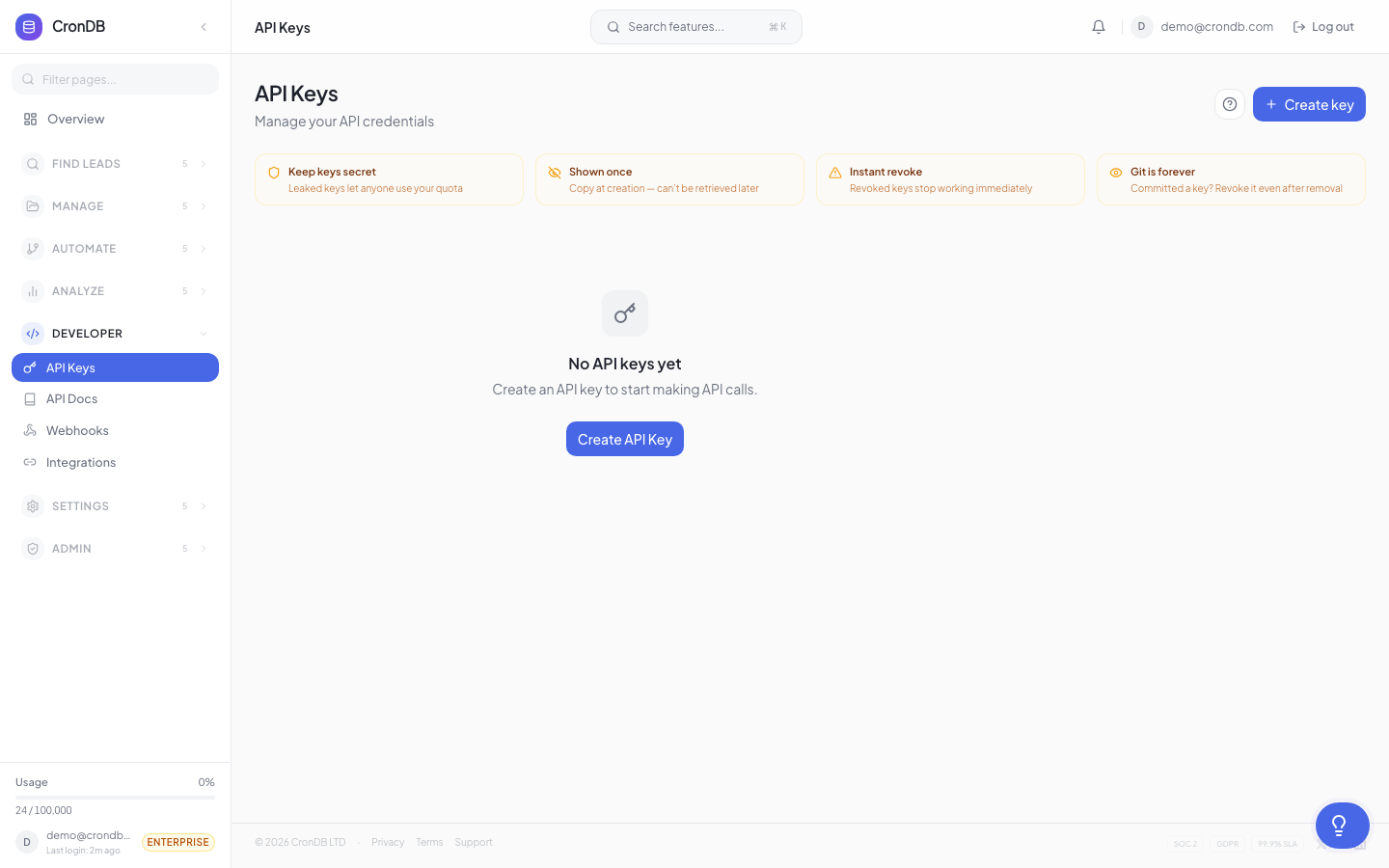
Getting an API Key
- Log into app.crondb.com
- Navigate to Developer → API Keys
- Click + Create API Key
- Name the key (e.g., "My App")
- Copy the key — it starts with
cdb_and is shown only once
Using Your API Key
Include the API key in the Authorization header of every request:
Authorization: Bearer cdb_your_api_key_here
cURL Example
curl -H "Authorization: Bearer cdb_your_api_key_here" \
  "https://api.crondb.com/v1/enrichment/domain?domain=example.com"
Python Example
import requests

headers = {"Authorization": "Bearer cdb_your_api_key_here"}

response = requests.get(
    "https://api.crondb.com/v1/enrichment/domain",
    params={"domain": "example.com"},
    headers=headers,
)
JavaScript Example
const response = await fetch(
  "https://api.crondb.com/v1/enrichment/domain?domain=example.com",
  {
    headers: {
      Authorization: "Bearer cdb_your_api_key_here",
    },
  }
);
Authentication Errors
401 Unauthorized
{
  "detail": "Invalid API key"
}
This occurs when:
- The API key is missing from the request
- The API key is invalid or malformed
- The API key has been revoked
403 Forbidden
{
  "detail": "API key does not have access to this resource"
}
This occurs when:
- The API key is valid but the account is suspended
- The API key belongs to a reseller client that has been disabled
- The endpoint requires a higher plan than your account has
Security Best Practices
Environment Variables
Never hardcode API keys in your source code:
# .env file
CRONDB_API_KEY=cdb_your_api_key_here
import os

api_key = os.environ["CRONDB_API_KEY"]
headers = {"Authorization": f"Bearer {api_key}"}
.gitignore
Ensure your .env file is not tracked by version control:
# .gitignore
.env
.env.local
Key Rotation
Rotate your API keys periodically:
- Create a new key in the dashboard
- Update your application configuration
- Deploy the change
- Verify the new key works
- Revoke the old key
Separate Keys per Environment
Use different keys for development, staging, and production. This limits the impact if any single key is compromised.
API Key Features
IP Allowlists
Restrict API key usage to specific IP addresses or CIDR ranges for additional security:
- Navigate to Developer → API Keys
- Click the key you want to restrict
- Add allowed IPs (e.g.,
203.0.113.0/24)
Requests from non-allowed IPs will receive a 403 Forbidden response.
Endpoint Restrictions
Limit which API endpoints a key can access. Useful for creating read-only keys or keys restricted to specific operations:
- Navigate to Developer → API Keys
- Click the key to edit
- Select which endpoint groups to allow (e.g., only "Enrichment" and "Search")
Multiple Keys
Create separate keys for different applications or environments. Each key:
- Has its own name for identification
- Tracks usage independently
- Can be revoked without affecting other keys
- Supports independent IP allowlists and endpoint restrictions
JWT Authentication (Dashboard)
The dashboard uses JWT (JSON Web Token) authentication for browser sessions:
POST /auth/login
{
  "email": "user@example.com",
  "password": "your_password"
}
Response:
{
  "access_token": "eyJhbG...",
  "token_type": "bearer"
}
- API Keys (
cdb_...) — for server-to-server integrations, scripts, and third-party apps - JWT tokens — for browser-based dashboard sessions only (expires after 30 minutes)
Use API keys for all programmatic access.
Two-Factor Authentication
CronDB supports TOTP-based 2FA for dashboard login:
- Navigate to Settings → Security
- Click Enable 2FA
- Scan the QR code with your authenticator app
- Enter the verification code
- Save your backup codes securely
2FA applies to email/password login. Google OAuth sessions are protected by Google's own 2FA.
Reseller API Keys
Reseller clients use keys with the format cdb_r_[client_id]_[random]. These keys work identically to standard keys but track usage against the client's allocated quota.
Next Steps
- Rate Limits — Understand request limits
- Errors — Handle error responses
- API Keys Management — Manage your keys in the dashboard