Google Sheets
Export domains and lead lists directly to Google Sheets. Requires connecting your Google account via OAuth first.
tip
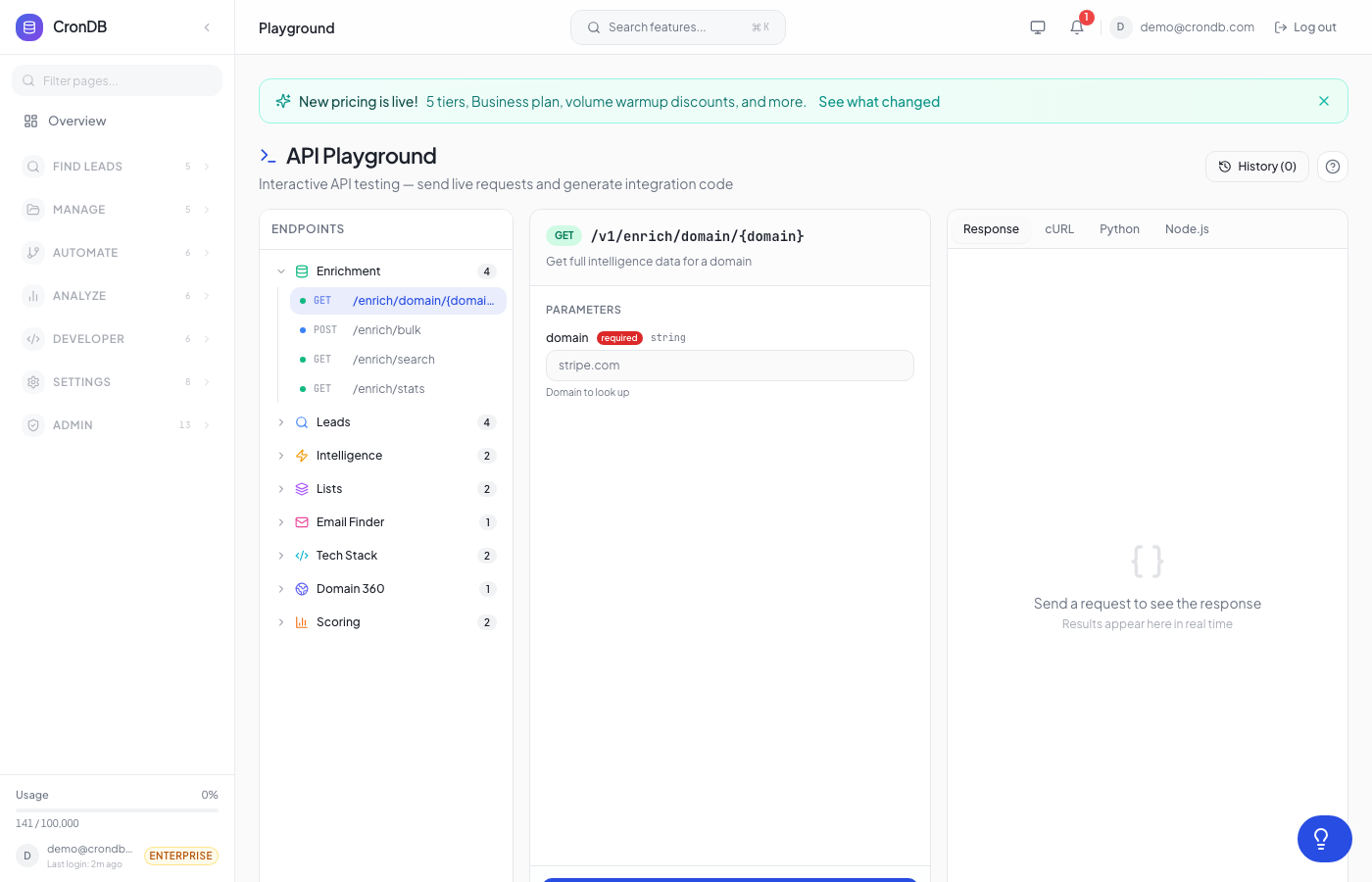
Try this endpoint live in the API Playground.
Prerequisites
- Navigate to Integrations → Google Sheets in the dashboard
- Click Connect Google Account
- Authorize CronDB to create and edit spreadsheets in your Google Drive
info
The Google Sheets integration uses OAuth 2.0. Your tokens are encrypted at rest and CronDB only requests the spreadsheets scope — we never read existing files.
Endpoints
| Method | Endpoint | Auth | Description |
|---|---|---|---|
| POST | /v1/sheets/export | Required | Export domains to a new spreadsheet |
| POST | /v1/sheets/export-list/{list_id} | Required | Export a lead list to Google Sheets |
| GET | /v1/sheets/templates | Required | List available export templates |
Export Domains
Export a set of domains with their enrichment data to a new Google Sheet.
POST /v1/sheets/export
- cURL
- Python
- Node.js
curl -X POST \
  -H "Authorization: Bearer cdb_your_api_key_here" \
  -H "Content-Type: application/json" \
  -d '{
    "domains": ["startup1.com", "startup2.io", "enterprise.co"],
    "template": "full"
  }' \
  "https://api.crondb.com/v1/sheets/export"
import requests

response = requests.post(
    "https://api.crondb.com/v1/sheets/export",
    headers={"Authorization": "Bearer cdb_your_api_key_here"},
    json={
        "domains": ["startup1.com", "startup2.io", "enterprise.co"],
        "template": "full",
    },
)
result = response.json()
print(f"Spreadsheet: {result['spreadsheet_url']}")
const response = await fetch("https://api.crondb.com/v1/sheets/export", {
  method: "POST",
  headers: {
    Authorization: "Bearer cdb_your_api_key_here",
    "Content-Type": "application/json",
  },
  body: JSON.stringify({
    domains: ["startup1.com", "startup2.io", "enterprise.co"],
    template: "full",
  }),
});
const data = await response.json();
console.log(`Spreadsheet: ${data.spreadsheet_url}`);
Request Body
| Field | Type | Required | Description |
|---|---|---|---|
domains | string[] | Yes | List of domains to export (max 500) |
template | string | No | Export template: "full", "compact", or "contacts" (default: "full") |
Response
{
  "spreadsheet_id": "1BxiMVs0XRA5nFMdKvBdBZjgmUUqptlbs74OgVE2upms",
  "spreadsheet_url": "https://docs.google.com/spreadsheets/d/1BxiMVs0XRA5nFMdKvBdBZjgmUUqptlbs74OgVE2upms",
  "rows_exported": 3,
  "template": "full"
}
| Field | Type | Description |
|---|---|---|
spreadsheet_id | string | Google Sheets document ID |
spreadsheet_url | string | Direct link to the created spreadsheet |
rows_exported | integer | Number of domains successfully exported |
template | string | The template used for formatting |
Export Lead List
Export an entire lead list to Google Sheets with all enriched data.
POST /v1/sheets/export-list/{list_id}
- cURL
- Python
curl -X POST \
  -H "Authorization: Bearer cdb_your_api_key_here" \
  "https://api.crondb.com/v1/sheets/export-list/42"
import requests

response = requests.post(
    "https://api.crondb.com/v1/sheets/export-list/42",
    headers={"Authorization": "Bearer cdb_your_api_key_here"},
)
result = response.json()
print(f"Exported {result['rows_exported']} leads to {result['spreadsheet_url']}")
Path Parameters
| Parameter | Type | Description |
|---|---|---|
list_id | integer | The ID of the lead list to export |
Response
{
  "spreadsheet_id": "1BxiMVs0XRA5nFMdKvBdBZjgmUUqptlbs74OgVE2upms",
  "spreadsheet_url": "https://docs.google.com/spreadsheets/d/1BxiMVs0XRA5nFMdKvBdBZjgmUUqptlbs74OgVE2upms",
  "rows_exported": 156,
  "list_name": "Q1 Outreach Targets"
}
Export Templates
List the available formatting templates for exports.
GET /v1/sheets/templates
curl -H "Authorization: Bearer cdb_your_api_key_here" \
  "https://api.crondb.com/v1/sheets/templates"
Response
{
  "templates": [
    {
      "id": "full",
      "name": "Full Export",
      "description": "All available fields including enrichment data, scores, and metadata",
      "columns": 22
    },
    {
      "id": "compact",
      "name": "Compact",
      "description": "Essential fields: domain, industry, country, confidence, email",
      "columns": 8
    },
    {
      "id": "contacts",
      "name": "Contacts Only",
      "description": "Domain, email, phone, and organization details",
      "columns": 6
    }
  ]
}
Error Responses
| Status | Detail | Reason |
|---|---|---|
| 400 | Google Sheets not connected | OAuth not completed — connect via the Integrations page |
| 400 | Maximum 500 domains per export | Too many domains in a single request |
| 401 | Not authenticated | Missing or invalid Bearer token |
| 404 | Lead list not found | The specified list doesn't exist or belongs to another user |
| 429 | Rate limit exceeded | Too many requests — try again shortly |
| 500 | Google API error: ... | Google Sheets API returned an error |
Next Steps
- Bulk Export — Export as CSV instead
- Lead Lists — Manage your lead lists
- Integrations — Other integration options